In This Guide:
What is sACN (Streaming ACN)?
The industry-standard E1.31 protocol for professional DMX over Ethernet.
sACN (Streaming Architecture for Control Networks), also known as Streaming ACN or E1.31, is an ANSI/ESTA standard protocol for transmitting DMX512 lighting control data over IP networks. Developed as part of the larger ACN (Architecture for Control Networks) suite, sACN has become the preferred choice for professional lighting installations worldwide.
Unlike traditional DMX512 protocol which is limited to 512 channels over dedicated cables, sACN leverages standard Ethernet infrastructure to transmit thousands of universes simultaneously. This makes it ideal for large-scale installations like concert tours, theme parks, architectural lighting, and broadcast studios.
Key Features of sACN
- Massive Scale: Supports up to 63,999 universes (over 32 million channels)
- Multicast Efficiency: Uses IP multicast for efficient one-to-many data distribution
- Built-in Priority: Per-packet priority system (0-200) for source management
- Official Standard: ANSI E1.31 ensures interoperability across manufacturers
- Synchronization: Native support for cross-universe synchronization
- Source Naming: Human-readable source identification for easier troubleshooting
The E1.31 Standard
sACN is formally defined in the ANSI E1.31 standard, maintained by ESTA (Entertainment Services and Technology Association). The current version, E1.31-2018, includes enhancements for synchronization and discovery. Being an official standard means:
- Guaranteed interoperability between compliant devices
- Well-documented specification for implementers
- Regular updates through a formal standards process
- Wide industry adoption and manufacturer support
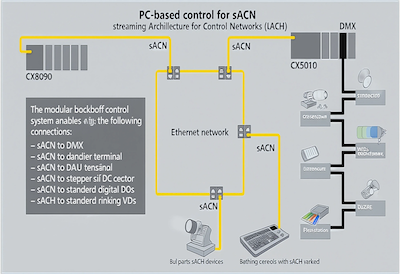
sACN multicast architecture: One source efficiently reaches multiple receivers
sACN vs Art-Net: Which Protocol Should You Choose?
Understanding the key differences to make the right choice for your installation.
Both sACN and Art-Net are excellent protocols for transmitting DMX data over networks. For a detailed comparison, see our Art-Net & sACN networking guide. Here's a quick summary of when to choose each:
| Feature | sACN (E1.31) | Art-Net |
|---|---|---|
| Standard Type | ANSI/ESTA official standard | De facto industry standard |
| Transmission Method | Multicast (primary) | Broadcast/Unicast |
| Universe Capacity | 63,999 universes | 32,768 universes |
| Priority System | Yes (0-200 per packet) | Limited |
| Network Requirements | Managed switches with IGMP | Works on basic networks |
| UDP Port | 5568 | 6454 |
| Best For | Large professional installations | Maximum compatibility |
Choose sACN When:
- Building large-scale installations with many universes
- Using multiple control sources that need priority management
- Working in professional environments with managed network infrastructure
- Requiring precise synchronization between universes
- Network efficiency is critical (multicast reduces bandwidth)
Choose Art-Net When:
- Maximum device compatibility is the priority
- Working with consumer-grade network equipment
- Connecting to older or legacy equipment
- Network doesn't support multicast properly
💡 Pro Tip: Use Both!
Many modern lighting systems use both protocols simultaneously. Most professional controllers can output sACN and Art-Net concurrently, giving you maximum flexibility to connect any device regardless of protocol preference.
sACN IP Range & Network Configuration
Understanding the sACN IP address scheme for proper network setup.
sACN Multicast IP Range
sACN uses a specific multicast IP address range defined in the E1.31 standard:
sACN Multicast Range: 239.255.0.0 - 239.255.255.255
Each sACN universe is assigned a unique multicast address within this range. The address is calculated based on the universe number:
Formula: 239.255.{high_byte}.{low_byte}Where universe = (high_byte × 256) + low_byte
sACN IP Address Examples
| Universe | Multicast IP Address | Calculation |
|---|---|---|
| 1 | 239.255.0.1 |
(0 × 256) + 1 = 1 |
| 10 | 239.255.0.10 |
(0 × 256) + 10 = 10 |
| 255 | 239.255.0.255 |
(0 × 256) + 255 = 255 |
| 256 | 239.255.1.0 |
(1 × 256) + 0 = 256 |
| 1000 | 239.255.3.232 |
(3 × 256) + 232 = 1000 |
| 63999 | 239.255.249.255 |
(249 × 256) + 255 = 63999 |
UDP Port Configuration
sACN transmits all data on a single UDP port:
sACN UDP Port: 5568
Ensure this port is open on any firewalls between sACN sources and receivers. Unlike Art-Net which uses port 6454, sACN's port 5568 is officially registered with IANA.
Network Requirements
- Bandwidth: Each universe at 44Hz requires approximately 22 Kbps
- Latency: Keep network latency below 10ms for smooth operation
- Switches: Use gigabit switches for installations with many universes
- IGMP Snooping: Enable on managed switches to optimize multicast traffic
sACN Multicast Network Setup
Configure your network infrastructure for reliable sACN multicast transmission.
Why Multicast Matters
Multicast is what makes sACN efficient. Instead of sending separate copies of data to each receiver (unicast) or flooding the entire network (broadcast), multicast allows one transmission to reach only the devices that need it. This is crucial for large installations with hundreds of fixtures.
IGMP Snooping Configuration
IGMP (Internet Group Management Protocol) snooping is essential for efficient sACN operation. When enabled, switches learn which ports need multicast traffic and only forward packets to those ports.
Without IGMP Snooping:
- Multicast packets flood all switch ports
- Every device receives all universes
- Wastes bandwidth and CPU resources
- May cause network congestion
With IGMP Snooping:
- Switch tracks which ports need which groups
- Devices only receive subscribed universes
- Efficient bandwidth utilization
- Scales to thousands of universes
Switch Configuration Checklist
- Enable IGMP Snooping: Usually found under multicast settings
- Set IGMP Version: Use IGMPv2 for best compatibility
- Configure IGMP Querier: One device must act as querier (often the switch itself)
- Increase Multicast Group Limit: Default limits may be too low for many universes
- Disable IGMP Fast Leave: Can cause brief dropouts during network changes
Unicast Fallback
If your network doesn't support multicast properly, many sACN implementations offer unicast mode. In unicast mode:
- Data is sent directly to specific IP addresses
- Works on any network (including consumer routers)
- Requires manual configuration of receiver addresses
- Less efficient for multiple receivers on the same universe
⚠️ Common Multicast Issues
Consumer routers often have poor multicast support. Symptoms include intermittent data loss, high latency, or complete failure to receive sACN. For professional installations, always use managed switches with proper IGMP configuration.
sACN Universe Mapping & Addressing
Organize your universes for efficient and maintainable lighting systems.
Universe Numbering in sACN
sACN universes are numbered from 1 to 63,999. Unlike Art-Net which uses a Net.Subnet.Universe scheme, sACN simply uses sequential universe numbers. This makes configuration straightforward:
- Universe 0 is reserved (not usable)
- Universes 1-63999 are available for DMX data
- Each universe contains 512 DMX channels (slots)
- Total capacity: 32,767,488 individual channels
Universe Planning Best Practices
Good universe organization makes systems easier to program, troubleshoot, and expand:
| Strategy | Example | Benefits |
|---|---|---|
| Location-based | Universes 1-10: Stage Left Universes 11-20: Stage Right |
Easy physical troubleshooting |
| Fixture-type based | Universes 1-5: Moving heads Universes 10-15: LED strips |
Logical grouping for programming |
| Zone-based | Universes 100-199: Main stage Universes 200-299: FOH |
Clear separation for large venues |
| Leave gaps | Start each zone at round numbers | Room for future expansion |
Channel Addressing Within Universes
Each fixture needs a starting address within its universe. Follow these guidelines:
- Document everything: Maintain a patch sheet with fixture, universe, and address
- Group similar fixtures: Place identical fixtures consecutively for easier programming
- Leave buffer space: Don't pack fixtures too tightly in case you need to expand
- Consider fixture modes: Some fixtures have multiple DMX modes with different channel counts
sACN Priority System
Manage multiple sources and backup controllers with per-packet priority.
One of sACN's most powerful features is its built-in priority system. Every sACN packet includes a priority value from 0 to 200, with 100 being the default. When multiple sources transmit to the same universe, receivers use priority to determine which source to follow.
How Priority Works
- Higher priority wins: A source with priority 150 overrides one with priority 100
- Equal priority: When priorities match, receivers typically use HTP (Highest Takes Precedence) merging
- Per-packet basis: Priority is evaluated for each incoming packet
- Timeout handling: If a high-priority source stops transmitting, lower priority sources take over
Common Priority Configurations
| Scenario | Primary Source | Secondary Source |
|---|---|---|
| Main + Backup Console | Priority: 100 (default) | Priority: 50 (backup takes over if main fails) |
| Show + Architectural | Show console: 150 | Architectural system: 100 |
| Emergency Override | Normal operation: 100 | Emergency system: 200 |
| Audio-reactive + Manual | REACT audio system: 100 | Manual override: 120 |
Source Identification
sACN packets include a human-readable source name (up to 64 characters). This helps identify sources during troubleshooting:
Source Name Examples:"Main Console - FOH""Backup Console - Stage""REACT Audio System""Architectural DMX Gateway 1"
sACN Implementation Best Practices
Real-world guidance for deploying reliable sACN systems.
Network Architecture
For professional installations, consider these network design principles:
- Dedicated Lighting Network: Use a separate VLAN or physical network for sACN traffic
- Managed Switches: Enterprise-grade switches with proper IGMP support
- Redundant Paths: For critical systems, implement redundant network paths
- QoS Configuration: Prioritize sACN traffic (DSCP marking) on shared networks
Software & Hardware
Popular sACN-compatible solutions include:
- Consoles: ETC Eos, MA Lighting, Chamsys, Hog
- Software: QLC+, DMXIS, MagicQ, Resolume
- Nodes: ETC Net3 Gateway, Pathport, ENTTEC
- Audio-reactive: Compeller REACT (see below)
Testing & Troubleshooting
Essential tools for sACN diagnostics:
- sACN View: Free multiplatform sACN monitoring tool
- Wireshark: Network protocol analyzer with E1.31 dissector
- Network testers: Verify multicast routing and IGMP behavior
- DMX testers: Confirm output at node endpoints
🔧 Troubleshooting Checklist
- Verify IGMP snooping is enabled and querier is active
- Check that UDP port 5568 isn't blocked by firewalls
- Confirm universe numbers match between source and receiver
- Monitor priority values when using multiple sources
- Look for IP address conflicts on the lighting network
sACN Frequently Asked Questions
Quick answers to common sACN questions.
What is sACN (Streaming ACN)?
sACN (Streaming Architecture for Control Networks) is an ANSI/ESTA standard protocol (E1.31) for transmitting DMX512 data over IP networks. It uses multicast transmission to efficiently distribute lighting control data to multiple receivers, supporting up to 63,999 universes.
What IP range does sACN use?
sACN uses the multicast IP address range 239.255.0.0 to 239.255.255.255. Each universe is assigned a specific multicast address. For example, Universe 1 uses 239.255.0.1, Universe 256 uses 239.255.1.0, and Universe 1000 uses 239.255.3.232.
What is the difference between sACN and Art-Net?
Key differences: sACN is an official ANSI standard while Art-Net is a de facto standard. sACN uses multicast (more efficient), has built-in priority (0-200), and supports more universes (63,999 vs 32,768). Art-Net works better on basic consumer networks. See our detailed comparison.
How do I configure sACN multicast on my network?
Enable IGMP snooping on your managed switches, configure an IGMP querier, increase multicast group limits if needed, and ensure proper routing between VLANs. For consumer networks, consider using sACN unicast mode or Art-Net instead.
How many universes does sACN support?
sACN (E1.31) supports universes 1 through 63,999, providing control for over 32 million DMX channels. This is nearly double the 32,768 universes supported by Art-Net 4.
What is sACN priority and how does it work?
sACN includes a per-packet priority system (0-200, default 100). When multiple sources transmit to the same universe, higher priority wins. This enables backup controllers and multi-source installations with deterministic control over which source is active.
Can I use sACN with consumer routers?
Consumer routers often have limited multicast support, causing issues with sACN. For reliable operation, use managed switches with IGMP snooping. Alternatively, use sACN unicast mode or Art-Net which works better with basic network hardware.
What port does sACN use?
sACN uses UDP port 5568 for all data transmission. This port should be open on any firewalls between sACN sources and receivers.
Experience Audio-Reactive Lighting with sACN
See how REACT uses sACN for real-time audio-reactive lighting that responds to music in milliseconds. Transform any venue into an immersive audio-visual experience.
Discover REACTLearn more about Compeller's DMX integration
Turn this workflow into reactive visuals
Use REACT by Compeller to create patent-pending audio reactive visuals, then join the Compeller newsletter for workflow updates and launch notes.